04/22/2020
1587559800001
We want to thank you for your continued partnership during these difficult times. We’re in this together, and we’ll continue to support you and your business in any way we can. Here’s a recap of some of our most recent product updates.
PRODUCT UPDATES
Refund Process Update:
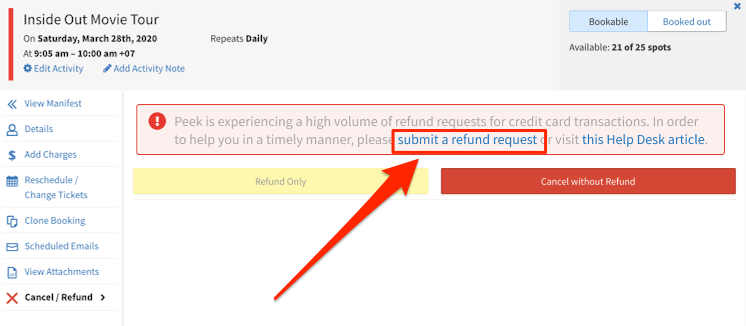
Following our recent changes to the Peek Pro Refund Process, we have implemented new developments that will further speed things up for you and your customers. This will not affect those who use Stripe as their payment processor.
You can now submit a refund request within your Peek Pro account. The request will be sent straight to our accounting team and you should hear from us about your refund request within 2 business days.
We’ve put together a detailed, step-by-step Helpdesk article of the new process.
Reviews Widget:
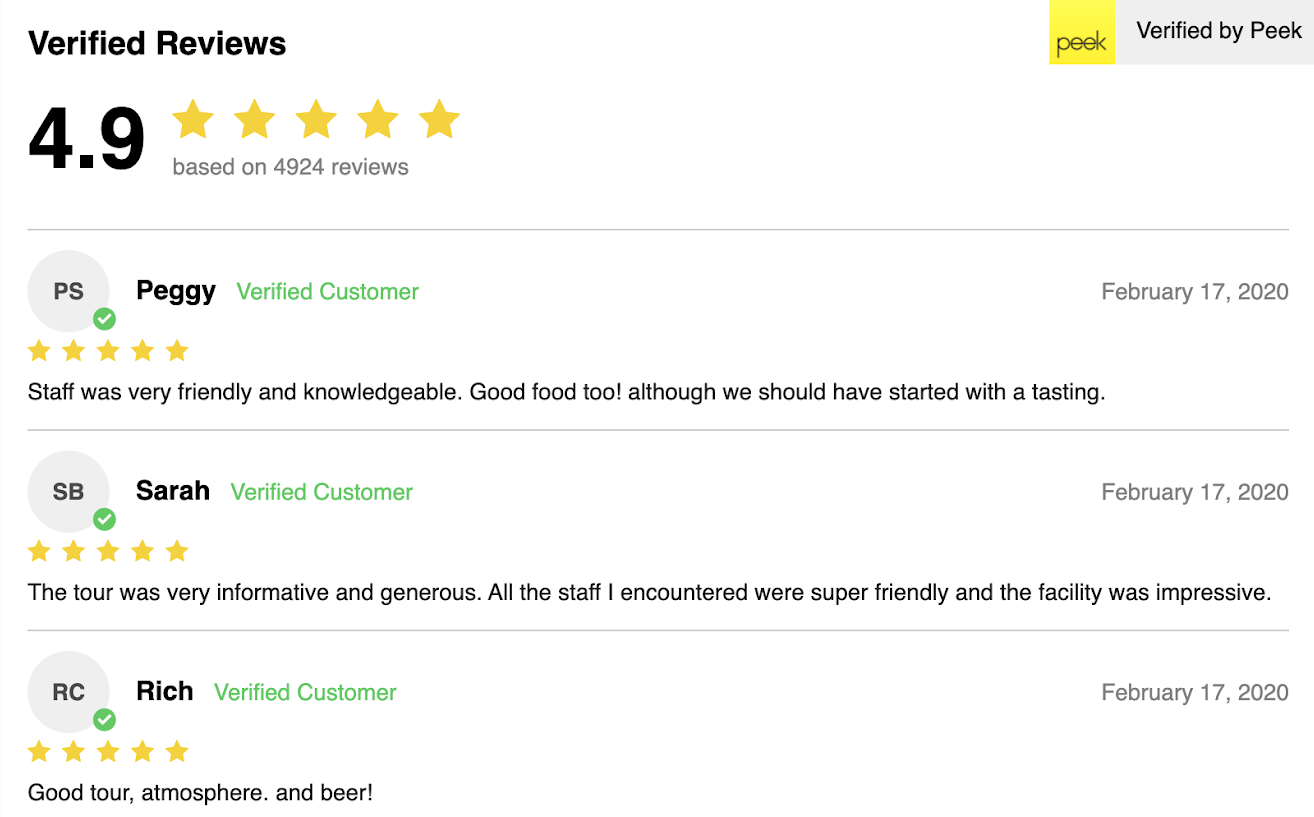
Reviews are your most powerful content - 72% of customers will not make a booking until they have read a review. Showcase them to customers on your website by using our new Reviews Widget.
Why should I add a Reviews Widget to my website?
Promote trust - Positive first-hand accounts encourage customers to book.
Increase browse time - Reduce outbound clicks to review sites.
Boost content - Customers want to see authentic content from a non-biased party.
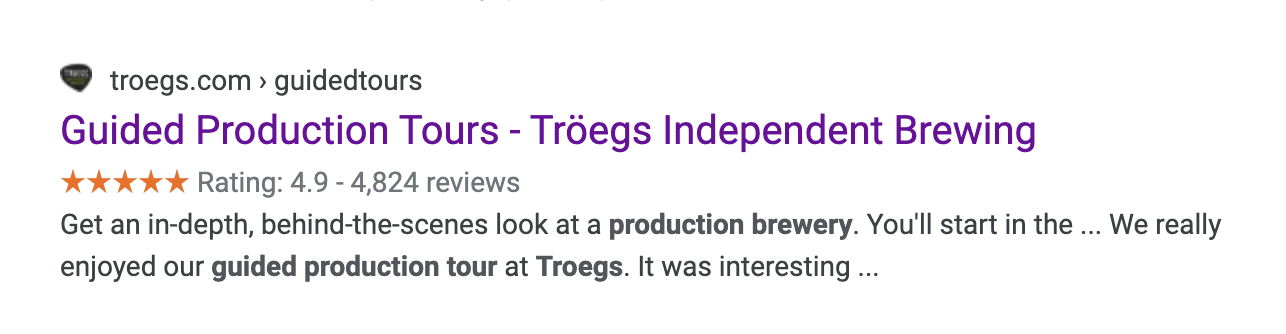
Does the Reviews Widget talk to Google?
Yes! It sends your average rating and reviews count to Google for them to display under your search results.
How can I get the Reviews Widget on my website?
Reach out to Partner Support to obtain a single line of code to put on your website, and the Reviews Widget will be live within 5 minutes!
Custom Manifest Improvement:
Custom manifests can help you group your customers based on the criteria you want; whether it’s location, an answer to one of your custom questions, driver, or guide!
You can now filter your Custom Manifest by Product - this provides you with easy access to view all the bookings you have for each activity. Find out more about how Peek Pro’s Custom Manifests will make your life easier here.
BUG FIXES
We fixed a bug where the PP6 Schedule View or Calendar View Widget Flows would only preselect the date and not the time of a chosen activity.
We have reconfigured the PP6 Widget Flows to accept 0% or $0 promo codes.
We fixed an issue where certain fields were incorrect for our Zapier integration for PP6. Now all of these fields will always send the correct values.
Thanks
The Team at Peek
