07/02/2020
1593723000001
PRODUCT UPDATES
Refund Reserve
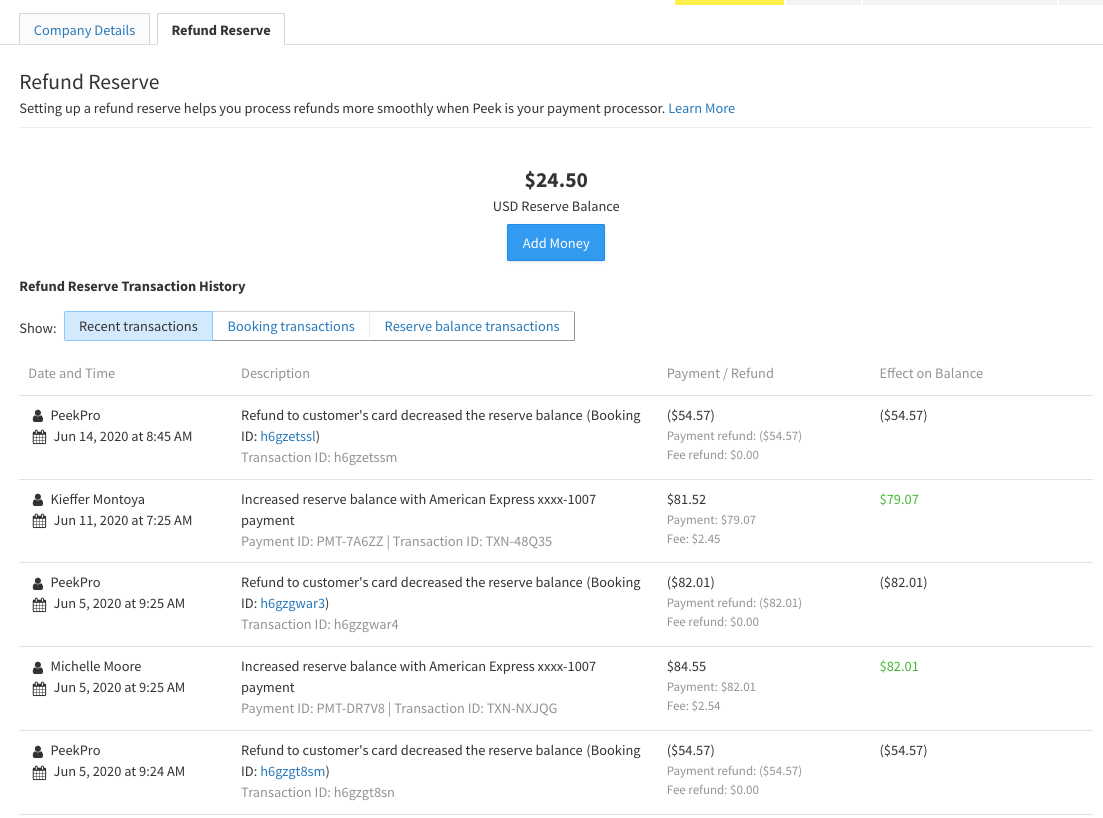
We have added a Transaction History to the Refund Reserve to give you easy access to records of all changes to your reserve. They are organized in three sections: Recent Transactions, Booking Transactions, and Reserve Balance Transactions. You can find out more in this Helpdesk Article.
Better analyze your widget data
You can now distinguish between widget traffic from resellers and regular widgets within your Google Analytics account. This allows you to easily keep track of who is driving visitors to your website.
If you would like to restrict the number of tickets a specific reseller can sell per activity, you can do so using Ticket Caps. If you are interested in this let us know using [email protected] and we can get it set up in your account.
Credit Card Error Messaging
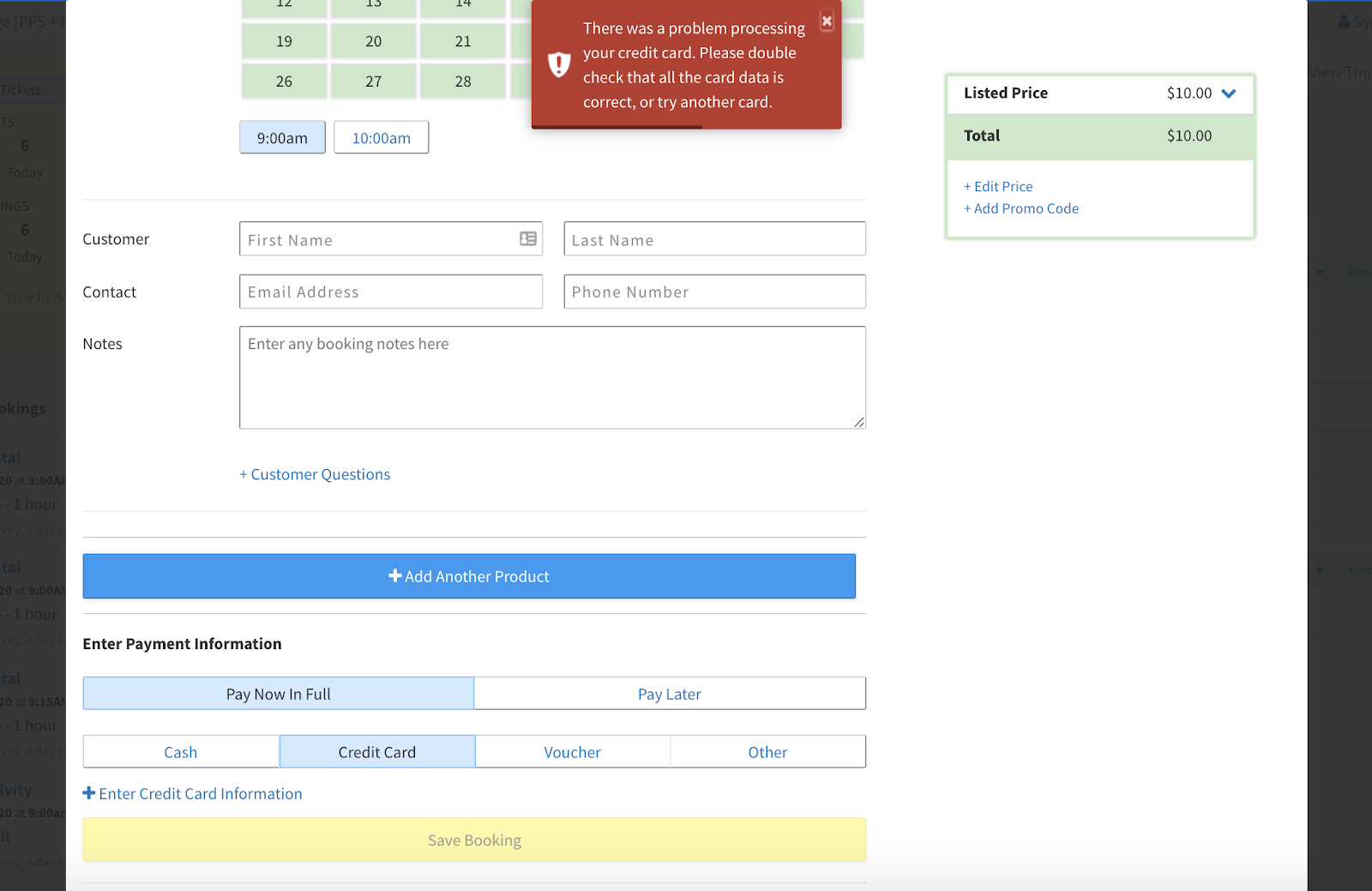
We have added more detailed messaging to better inform you when errors occur in Peek Pro. Previously, if an issue were to arise while you were processing a booking you would receive a message saying “App Error”. Now the message will display more detailed information to better aid you in resolving the issue. For example, if a customer’s card has been declined, a message will pop up saying “There was a problem processing your credit card. Please double check that all the card data is correct, or try another card”.
PEEK PRO 6
New Currency
Peek Pro now supports NOK, the Norwegian Krone, on Desktop and Mobile for Peek Pro 6 accounts. It is really exciting to see Peek grow in this way and we’ll be seeing more additional currencies in the future.
Convenience Fee
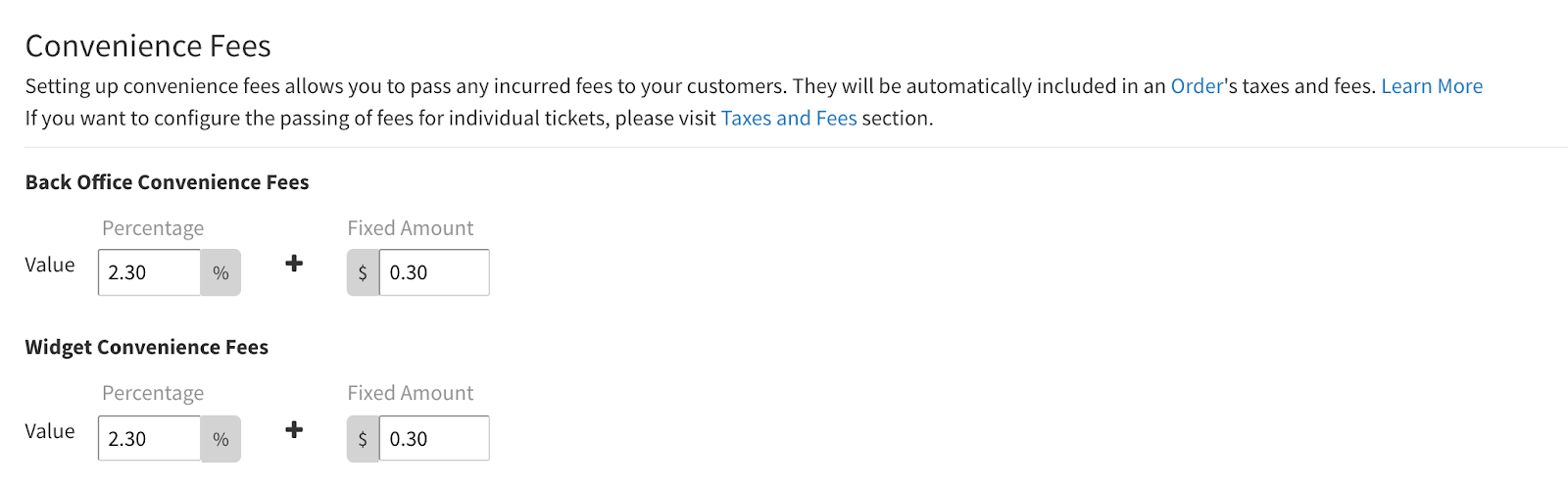
You can now pass the credit card processing fee on to the customer by creating a ‘Convenience Fee’. These costs may seem small on individual transactions but they can add up quickly. You now have the power to choose whether to absorb this expense or pass it on to the customer. For details on how to set this up check out this Helpdesk article.
Clone Bookings
This is a brilliant tool for up-selling to current customers and encouraging past customers to book again. You can automatically populate a new booking or order with customer information from a separate booking including payment info, contact info, notes, and custom question responses. This saves your guests from giving you all their information a second time and creates a more seamless experience for those purchasing multiple products. You can learn more and access a step-by-step guide in this Helpdesk article.
Rentals Buffers for additional equipment
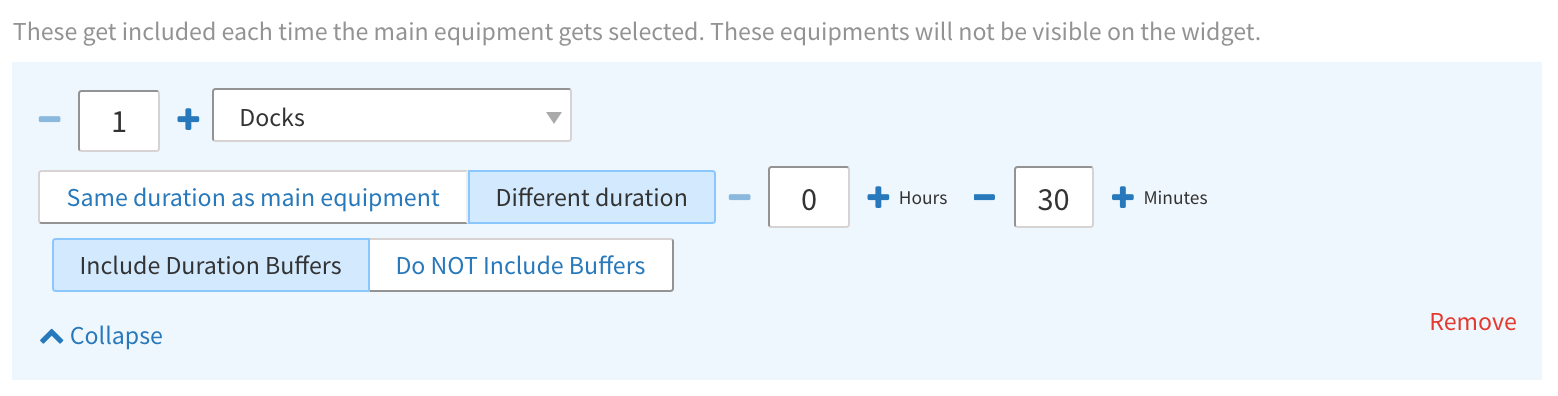
Previously, adding a buffer to a duration also added a buffer to the time configured for an additional equipment on a given rental product. Now you can choose whether you want the buffer added to the additional equipment.
BUG FIXES
Legacy Store Feature
We fixed an issue where the Legacy Store feature was showing an error for some on PP6. Additionally, we have added the ability to turn off Legacy Store in your account, if you wish to do so drop us an email - [email protected].
Editing Peek Pro 6 Bookings
We have heard of a few related issues with editing Peek Pro 6 bookings so we’ve made some infrastructure upgrades to fix bookings with errors and prevent these in the future. See specific examples below:
- We fixed a bug in Peek Pro 6 that was causing errors when a booking was edited for products with a deleted ticket type.
- There was a bug that prevented users from searching for Custom Statuses when adding them to a Peek Pro 6 booking - this has now been fixed.
Peek Pro 6 Rentals
We have improved loading times for the Rentals section of Peek Pro 6.
We fixed an issue where overriding a price when creating a rental booking in the back-office wasn’t being honored.
We also solved a problem where adding new equipment to a PP6 booking would cause an error.
Thanks,
The Team at Peek
