06/24/2020
1593010800001
PRODUCT UPDATES
Did you join our latest product webinar?
Director of Product Janelle Seegmiller and Sales Engineer Erik Hormann joined forces to break down the new refunds process and walk through three new features; the Refund Reserve, Batch Store Credit & Waiver Reminder Emails.
Click here to watch the recording or scroll down to find out more about these new features.
REFUND RESERVE
This awesome new tool will help your business deal with refunds quicker and create a better guest experience.
What is the Refund Reserve?
The Refund Reserve is a separate balance within your Peek Pro account that can be used to process refunds if you do not have a positive payout balance for future bookings. You can add to the reserve via credit card, and any refunds will be automatically processed using these funds.
How will the Refund Reserve streamline my operations?
This new tool will drastically cut down the time it takes to process a refund. As soon as you decide to issue a refund, if there is not an available positive balance, we’ll use your Refund Reserve funds to process the transaction - rather than sending you an invoice to pay.
For more information and step-by-step guides, check out this Helpdesk article or watch this short video:
Please note: This feature is available for those using Peek Payments. If you are using your own Stripe account to process your payment there will be no change to that process.
BATCH STORE CREDIT
Protecting your business from refunds is crucial - especially during periods of uncertainty. One key way to do this is to proactively convert cancelled bookings into store credit. Store credit ensures more money stays within your business, inspires brand loyalty and encourages customers to return in the future.
Peek Pro’s new Batch Store Credit tool will help you automatically convert all bookings within a specified date range (of your choosing) into store credit. You can also use simple checkboxes to exclude any bookings you don’t wish to convert within the date range.
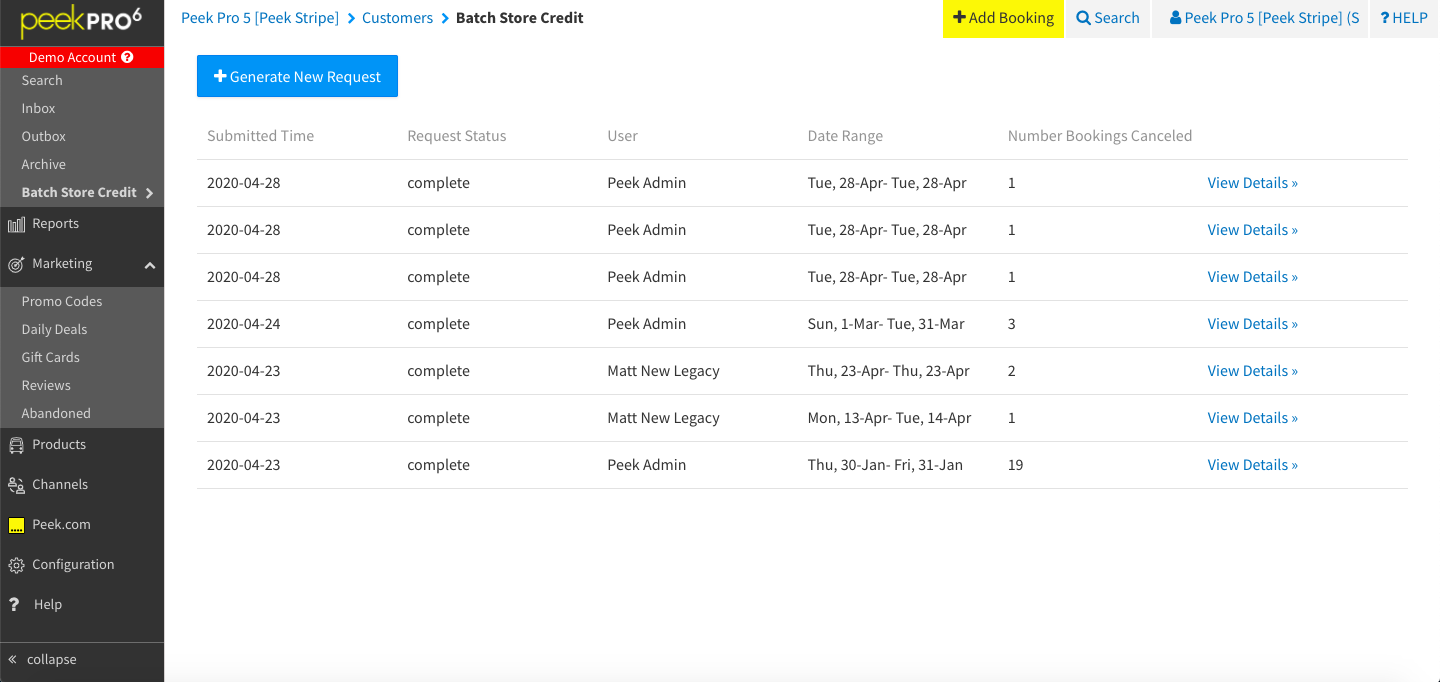
Want to learn more?
You can find a step-by-step guide to using the Batch Store Credit Tool in this Helpdesk article.
WAIVER REMINDER EMAIL
Anything that helps you cut down waiting times at check-in and reduces physical customer interaction with staff, is incredibly important right now. That’s why we’ve set up a new way for you to encourage customers to sign waivers before they even step foot in your office.
You can configure a Waiver Reminder email that is sent to customers before their activity starts to prompt them to sign the waiver in advance. The template is able to automatically check whether the customer has previously signed a waiver for this booking and will not send the email if this is the case.
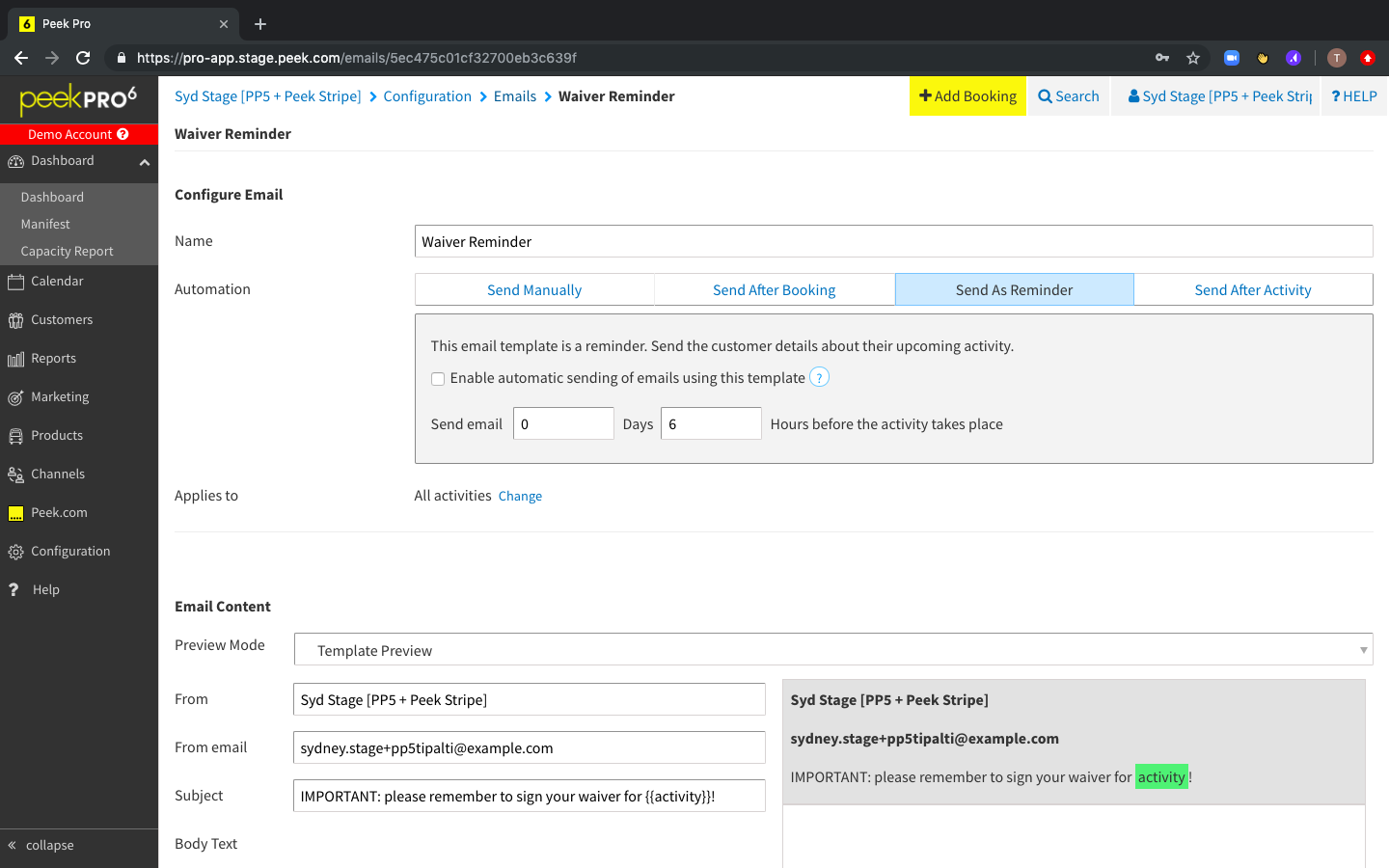
Janelle walked through the exact steps for getting this set-up in the product webinar linked above and you can also find more information in this Helpdesk article.
If you have further questions drop an email to [email protected] or call 415-361-5564 - our Partner Support team is on hand and happy to help.
Thanks,
The Team at Peek
