04/29/2020
1588194660001
With the world on pause, many of the tour community have been hard at work adding value to their business. To help you make the most of any down time you may have, we’ve compiled this checklist of business-optimizing actions you can take to help you prepare for your business’ return.
Here are some highlights of recent Peek Pro developments.
PRODUCT UPDATES
Tile View Widget Refresh
We have adjusted the way the Tiles are presented to provide a more sleek look for your Widgets. When you display 2 or 4 Tiles they will be organized in two columns rather than three, this will eliminate unnecessary blank space and better showcase your products.

Customer Profile View for Peek Pro 6
Need speedy access to a particular customer’s purchase details? No problem - partners using Peek Pro 6 can now quickly pull up the history of any customer’s orders, in one concise summary. This will help you provide a better service to repeat customers.
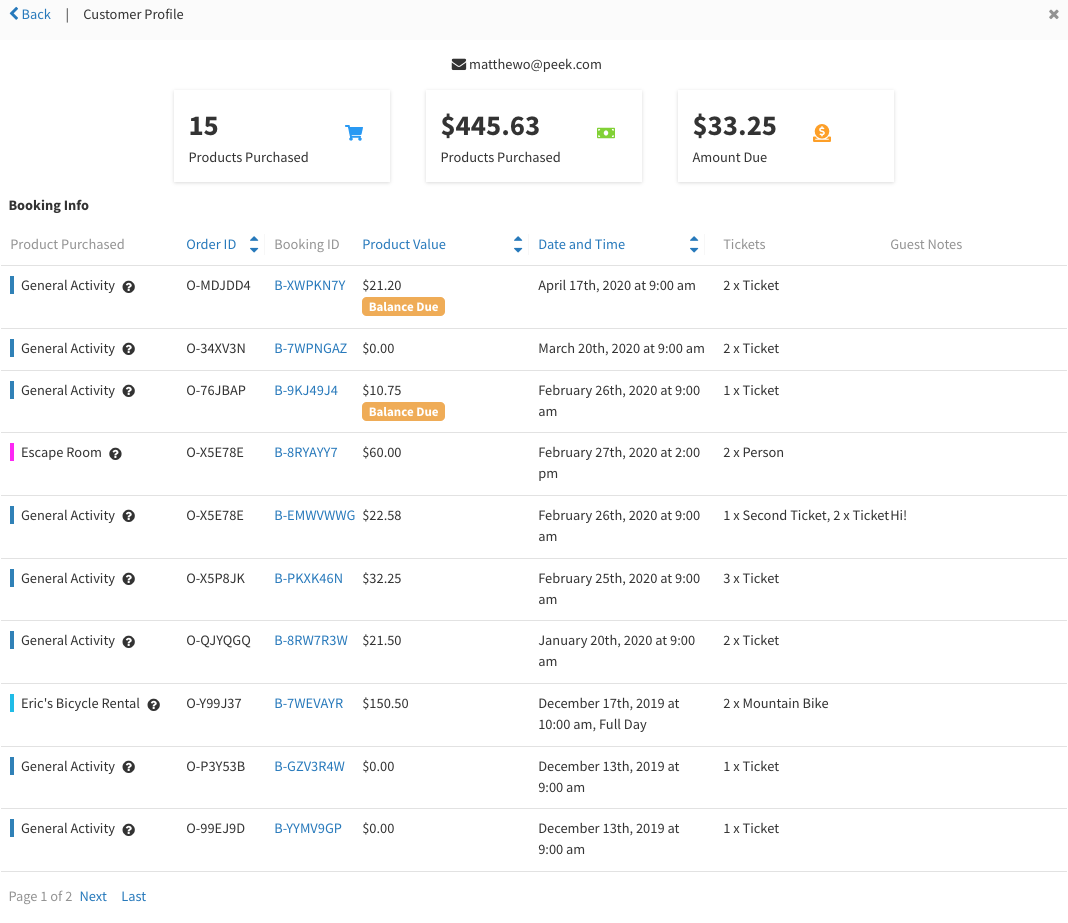
How Does This Feature Work?
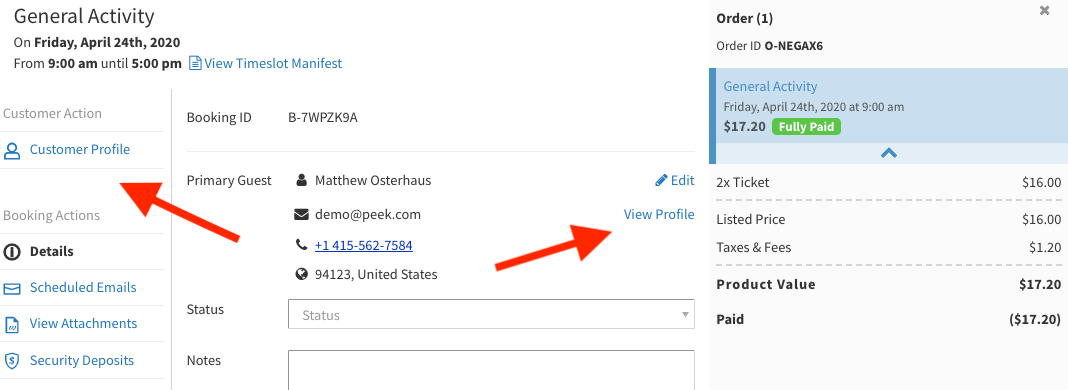
Just head to the Order Details page, and either click on the Customer Profile section on the sidebar or click on the “View Profile” button next to a customer’s email.
Ticket Type & Channel Caps
This new feature allows you better manage how your tickets are sold. You can now put a maximum limit on the number of tickets sold by specific channels and for certain ticket types for each activity timeslot. We developed this feature to help you sell more direct tickets for your activity. This feature is also great if you have a limited upsell ticket on your tour!
This feature is currently in beta but can be enabled if you reach out to the Partner Support Team - [email protected]
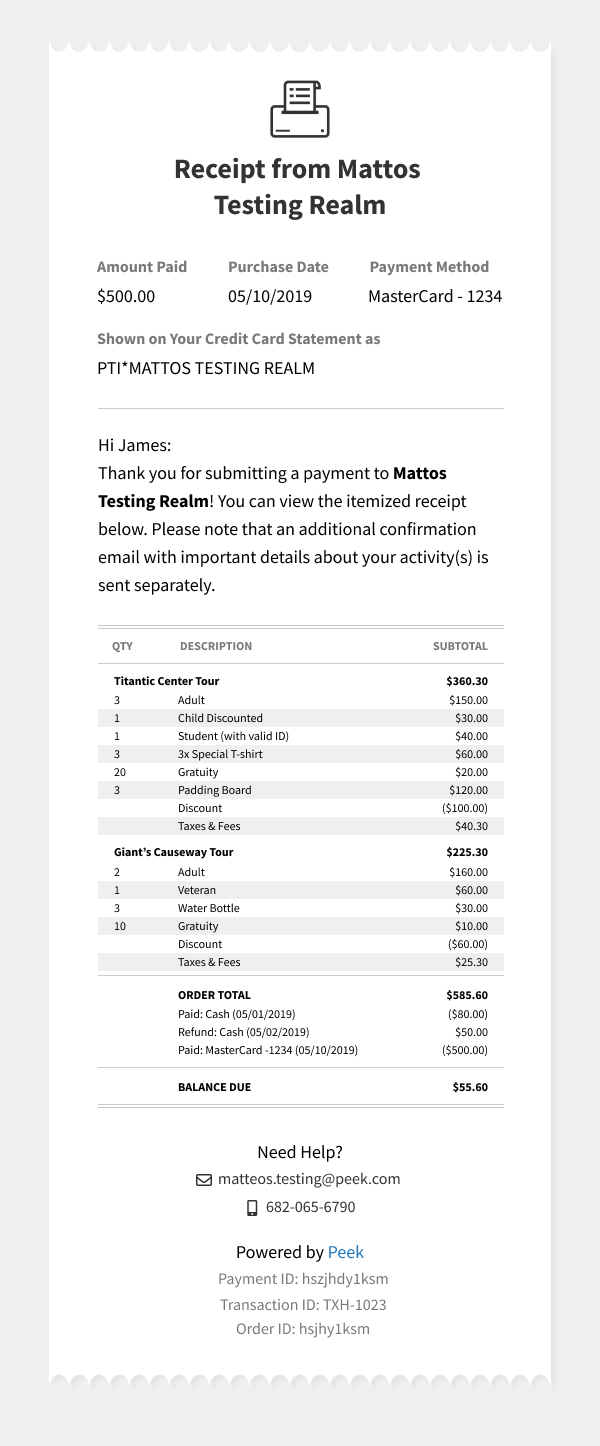
Peek Pro 6 new itemized transaction receipts & resending them in Peek Pro
Anytime a customer makes any payment or refund towards an order (backend or widget) they receive a receipt email. This email now includes a full itemized list of the customer’s order.
We have also added a new feature which allows you to resend these itemized receipt emails. So whenever a customer asks for a copy of their receipt, just head to the Scheduled Emails tab in your Order History and select the “Last Transaction Receipt Email” option. This will resend the receipt to the customer, with their most up-to-date payment and refund status.
BUG FIXES
Deleting a product form a Bundle
You can now delete an activity when it is part of a bundle. This previously triggered an error in the booking flow of other activities, but this has been fixed.
Bluetooth swiper bug
There were some pairing issues for partners using the Bluetooth credit card swipers. This has now been fixed.
Peek Pro 6 saving bug on iPhone
A few partners experienced a bug where customer information was not saving to their booking. This has been fixed.
Thanks,
The Team at Peek
